
 Cart is empty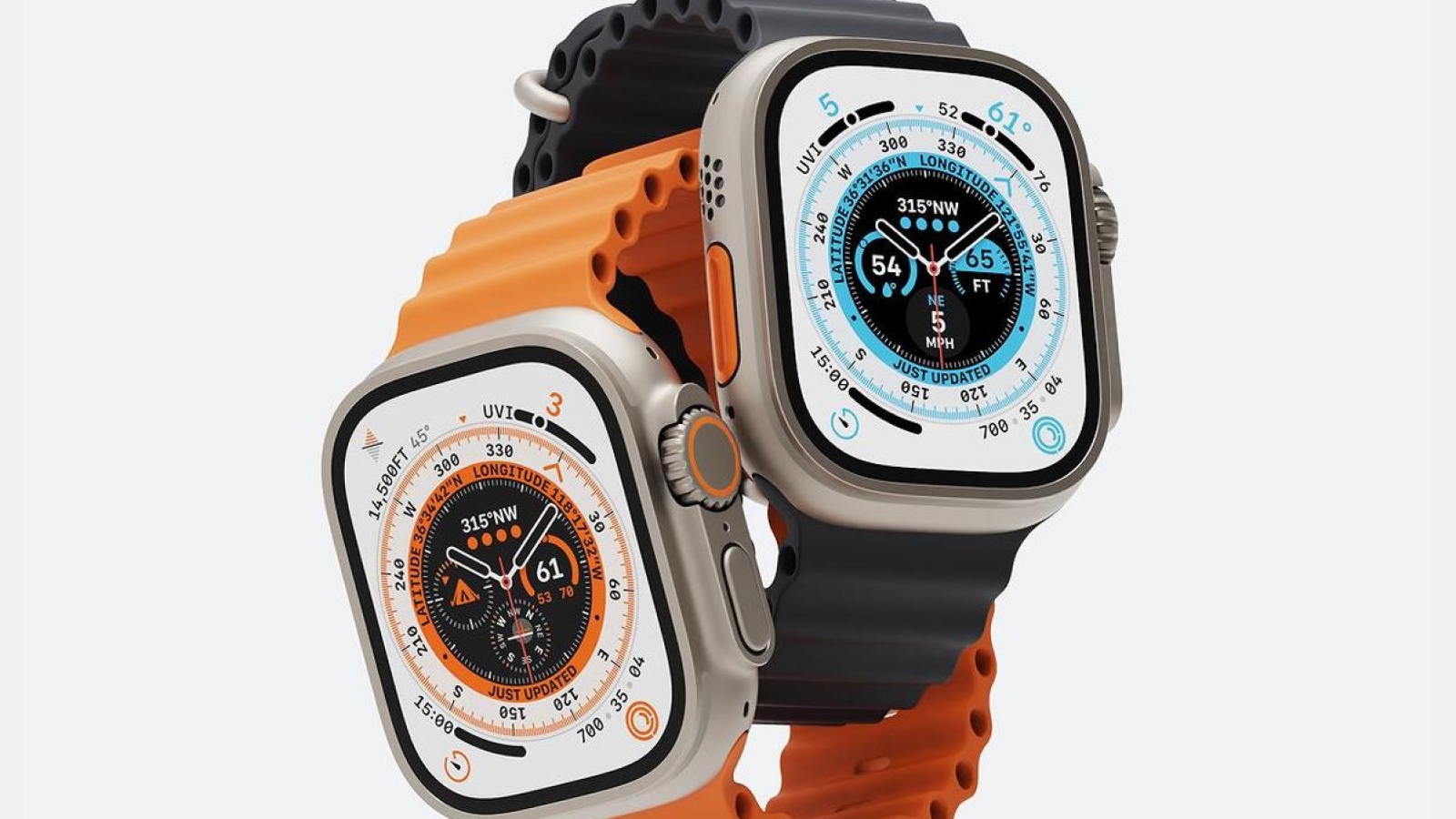
The Apple Watch Ultra 3 is Apple’s rugged smartwatch designed for users who want advanced fitness tracking, outdoor navigation, safety features, and everyday connectivity. Its 49mm titanium case houses a large Always-On display, S10 chip, advanced sensors, GPS, cellular connectivity, and a battery rated for up to 42 hours of normal use.
Here are some useful features and tips every Apple Watch Ultra 3 owner should know.
1. Customize the Action Button
The Action button is one of the most useful controls on the Apple Watch Ultra 3.
You can configure it for functions such as starting a workout, marking a workout segment, activating the flashlight, or launching other supported actions. A quick press gives you direct access without navigating through menus.
2. Take Advantage of the 3,000-Nit Display
The 49mm Ultra 3 features an Always-On Retina display with wide-angle OLED technology and brightness of up to 3,000 nits.
The wide-angle design also makes the display easier to see when looking at the watch from an angle, which can be particularly useful during outdoor activities.
3. Use Precision Dual-Frequency GPS
For runners, hikers, cyclists, and outdoor enthusiasts, the Ultra 3 includes precision dual-frequency GPS.
This provides more accurate positioning and tracking, particularly in challenging environments where traditional GPS signals can be affected by buildings, trees, or other obstacles.
4. Make the Most of the 42-Hour Battery
The Apple Watch Ultra 3 is rated for up to 42 hours of normal use and up to 72 hours when Low Power Mode is enabled.
If you’re going on a long trip, hiking adventure, or extended workout session, Low Power Mode can help extend the time between charges.
5. Use the Wrist Flick Gesture
The Ultra 3 supports wrist flick gestures, allowing you to interact with certain functions without touching the screen.
This can be useful when your other hand is occupied or when touching the display isn’t convenient.
6. Use Double Tap for Quick Actions
Double Tap allows you to perform supported actions by tapping your index finger and thumb together twice.
It can be particularly useful for controlling certain notifications and functions when you don’t want to touch the screen.
7. Explore the New Health Insights
The Apple Watch Ultra 3 includes several health and wellness features, including ECG, heart-rate notifications, sleep tracking, sleep score, sleep apnea notifications, and hypertension notifications.
These features are designed to provide users with additional information about their health and should not be treated as a replacement for professional medical advice.
8. Use Emergency SOS via Satellite
One of the major safety features of the Ultra 3 is satellite connectivity.
When compatible cellular and Wi-Fi connections aren’t available, supported satellite features can help users communicate with emergency services, send messages, or share their location in certain situations. Availability depends on location and other requirements.
9. Turn the Watch Into a Dive Computer
The Ultra 3 is water resistant to 100 meters and includes a depth gauge and water-temperature sensor.
It supports recreational scuba diving to depths of up to 40 meters when used within Apple’s specified conditions and with the appropriate software.
10. Use the Waypoint and Compass Features
The Ultra 3 is designed for outdoor navigation and includes a compass, altimeter, GPS, and Waypoint functionality.
You can use these tools to mark locations and help navigate while hiking, exploring, or travelling.
The Waypoint watch face can also provide quick access to navigation-related information.
11. Use On-Device Siri
The Ultra 3 supports Siri with on-device processing.
This allows you to perform supported tasks directly from the watch and, for certain requests, access information without relying entirely on a connected iPhone.
12. Take Advantage of Fast Charging
You don’t always need to charge the Ultra 3 for a long time.
Apple says the watch can reach up to 80 percent charge in approximately 45 minutes. A 15-minute charge can provide up to 12 hours of normal use, while a five-minute charge can provide up to eight hours of sleep tracking.
Final Thoughts
The Apple Watch Ultra 3 is built to handle considerably more than everyday notifications and fitness tracking. Its 49mm titanium construction, large high-brightness display, precision GPS, satellite connectivity, advanced health features, diving capabilities, and extended battery life make it particularly suited to users who spend time outdoors or want a more capable smartwatch
Leave A Comment